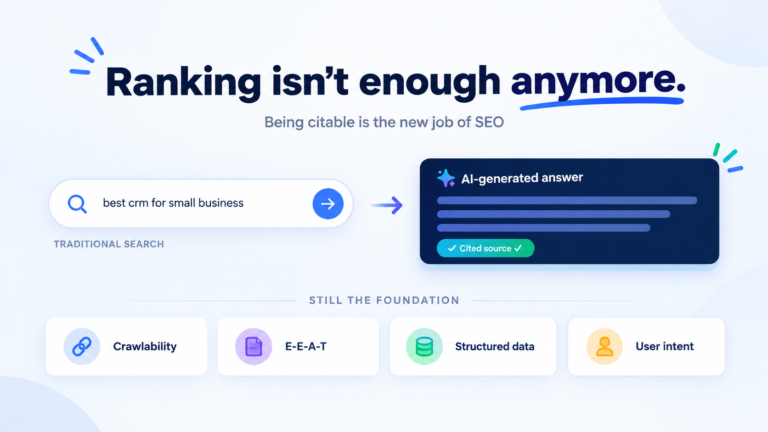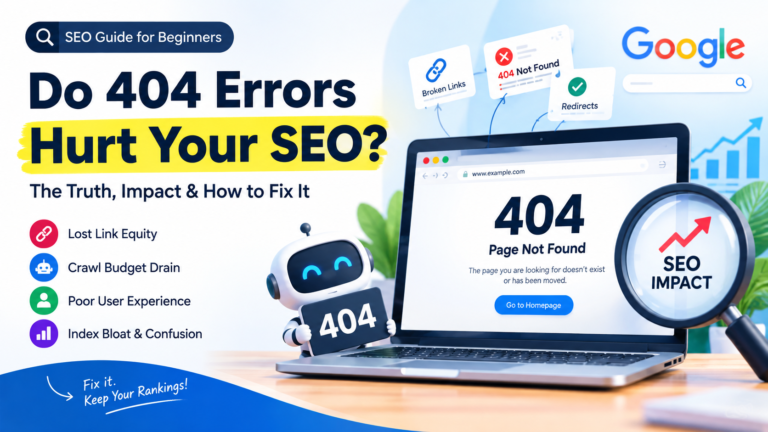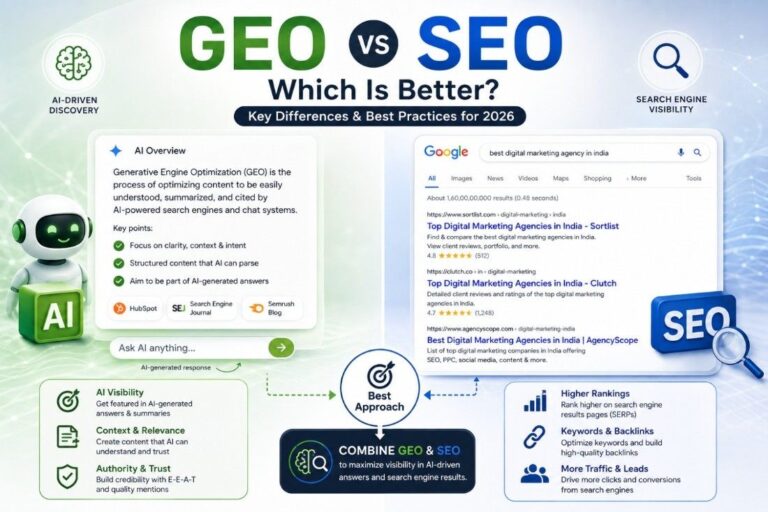
This post is a beginner’s guide and checklist for writing SEO-friendly blog content. The most important rule while optimizing a blog post is to ensure that every element keywords, headings, links, and images is relevant and useful for your target audience.
Before learning how to write an SEO-friendly blog post, it is important to understand what an SEO-friendly post is and why it matters for search visibility.
An SEO-friendly blog post is content optimized for target keywords, search intent, and AI-powered search engines. It is structured to deliver valuable information while ensuring strong readability, fast loading speed, and a great user experience.
Modern search engines like Google increasingly prioritize helpful content that genuinely solves user problems, which means writing for people first and optimizing for search engines second.
Ways to write SEO friendly blog post
1. Prioritizing Audience Needs Over Search Engines

Writing SEO-friendly blog posts is less about impressing search engines and more about solving the problems of your target audience effectively. Focus on guiding readers through actionable steps instead of keyword stuffing, ensuring your content is both helpful and easily discoverable.
For example in a financial blog, focus on solving real problems for your audience rather than overloading with keywords. For example, instead of repeating “budgeting tips,” create a step-by-step guide like “How to Create a Monthly Budget in 5 Easy Steps,” offering actionable advice such as tracking expenses, setting realistic goals, and automating savings.
This approach keeps content useful and engaging, encouraging readers to stay longer and share, which naturally improve SEO without relying on keyword stuffing. Prioritize value, and search engines will follow you and your blog. More tips: Top 7 ways to get unique blog post writing topics and keyword ideas
2. Aligning Content with User Intent

Modern search engines use artificial intelligence and machine learning to understand user intent and deliver the most relevant results so your blog posts must directly address what users are searching for. Using conversational headings and straightforward instructions makes your content more relatable and user-friendly.
For example, if you are writing post about WordPress then directly address common user questions.
For example, instead of just writing “How to Build a website,” try a more specific title like “How to Build a Website with WordPress in 5 Simple Steps.”
Use conversational headings like “Step 1: Choose a Domain Name” and clear instructions for tasks like installing themes or plugins. This makes your content easier to follow and more relevant to what users are actively searching for.
3. Optimizing Posts for Search Engines Beyond Google
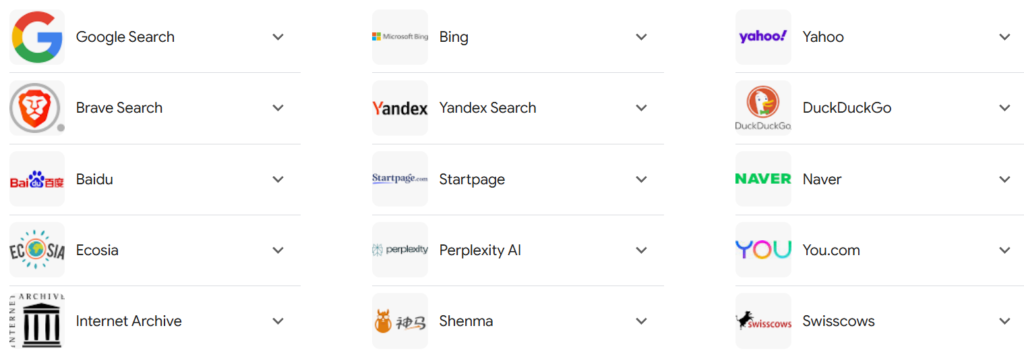
Different search engines display varying results for the same queries. Adapting your strategy to accommodate rich snippets, knowledge panels, or traditional links can enhance your blog’s visibility across platforms.
Benefits of Optimizing Posts for Search Engines Beyond Google
- Platforms like Bing, DuckDuckGo, and Yahoo attract unique user bases, expanding your blog’s reach to new demographics.
- Non-Google search engines often have less crowded SERPs, giving your blog a better chance to rank higher with quality content.
- Relying solely on Google is risky; optimizing for other search engines diversifies your traffic, reducing dependency on a single platform.
- Search engines like DuckDuckGo appeal to users focused on privacy, while Bing powers many voice search assistants (e.g., Cortana), giving you access to niche audiences.
- Many devices and browsers, like Microsoft Edge or Amazon’s Alexa, default to non-Google search engines, increasing the visibility of your optimized posts.
- AI-powered search assistants, voice search tools, and browser-based search features are also increasing the importance of optimizing blog content across multiple search platforms, not just Google.
4. Build Credibility with Consistent Writing and Publishing

Credibility is the trustworthiness and reliability your audience perceives in you or your content. It’s built through accurate information, transparency, and consistency over time.
SEO is not a shortcut to quick rankings but a long-term strategy built on publishing consistent, valuable, and trustworthy content. When your blog consistently provides valuable, well-researched, and actionable insights while adding internal and external links strengthens your site’s authority over time.
5. Follow Search Engine Guidelines
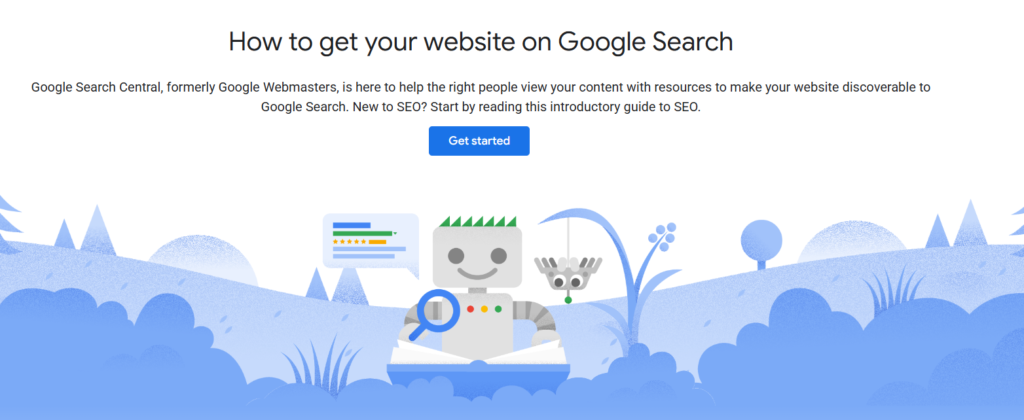
Adhering to guidelines provided by platforms like Google Search Central and Bing Webmaster Guidelines can increase your blog’s visibility.
These resources emphasize the importance of user-focused content, multimedia elements, fast website speed, structured data, and ethical white-hat SEO practices.
I recommend that every digital marketing and SEO student spend 10 to 20 minutes daily exploring both these sources to stay updated and enhance their expertise.
6. Write as per audience expectation

Along with intent, each blog post should be focused to its specific audience and purpose. For example, a hosting comparison post helps readers make decisions, while a tutorial gives them step-by-step instructions.
When your content fulfills what users are searching for, it attracts the right audience, increases engagement, improves SEO performance, and drives more organic traffic, it attract relevent audience and increased engagement, improve SEO, increases traffic, and keeps people on your site longer since they find exactly what they need.
7. Add links to related posts (Internal / External Links)

Adding internal links increase the reader’s reading experience, improves site metrics such as average time and lower bounce rate, and signals search engines about your site’s comprehensive coverage.
A strong internal linking structure also helps search engines understand the topical relationship between your articles, which improves your website’s topical authority and overall SEO performance.
But you have to ensure that links are relevant and balanced to maintain readability.
Here’s why internal linking is an important on-page SEO strategy:
- Internal links help readers explore related posts, deepening their knowledge of the topic.
- They show search engines that your site covers topics extensively, increase credibility (E-E-A-T).
- Internal links keep users on your site longer, improving engagement metrics like session duration.
- More internal links increase page views, benefiting ad impressions and potential revenue.
Types of Links to Use in a Post:
- Link to similar articles or guides on your site.
- Direct readers to key pages like “About Us” or “Contact.”
- Link to specific sections within the same post for easy navigation.
- Link to authoritative sites or research to back up your claims.
- Links to useful Tools/Resources
So, adding internal links benefits everyone. It improves the user experience, strengthens your site’s performance, and shows search engines your content is reliable and useful.
Related posts plugins can also help highlight relevant content for users. However, avoid overloading a post with too many links, as it can distract readers and reduce readability. A good rule of thumb is to link 4-5 posts in a 1,000-word article.
8. Add post Meta Title and Description correctly
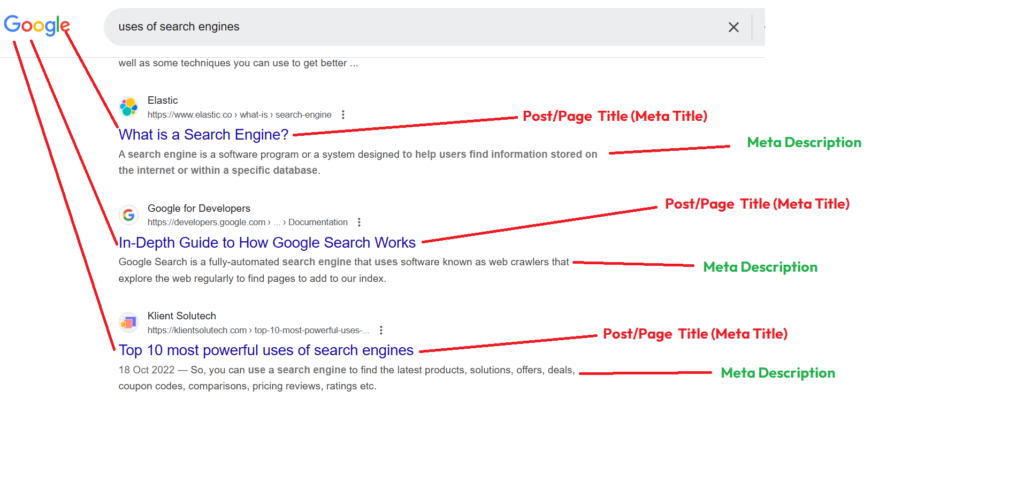
A meta title is the clickable headline that appears on search engine results pages (SERPs) and should ideally be kept within 55–60 characters. Including your focus keyword naturally in the meta title and description improves relevance signals for search engines.
When it appears on the SERP, users can quickly understand the topic of the post. This applies to both post and page titles. While a page title can often be just 1 or 2 words, a post title can extend up to 60 characters to provide more detail.
From an SEO perspective, it is important to include a meta title and description with relevant keywords, particularly those aligned with your focus keyword. Doing so can positively impact your post’s SEO performance and ranking on search engines.
On the other hand, the meta description serves as a brief introduction or summary of the post. It appears below the title on search engine results, helping users get an idea of what the post is about. A good meta description should be concise and informative, ideally within 160 characters.
To add a meta title and description in WordPress, you can use plugins like Yoast SEO or All in One SEO. These tools help you craft meta titles and descriptions within the required length and provide suggestions to optimize them effectively.
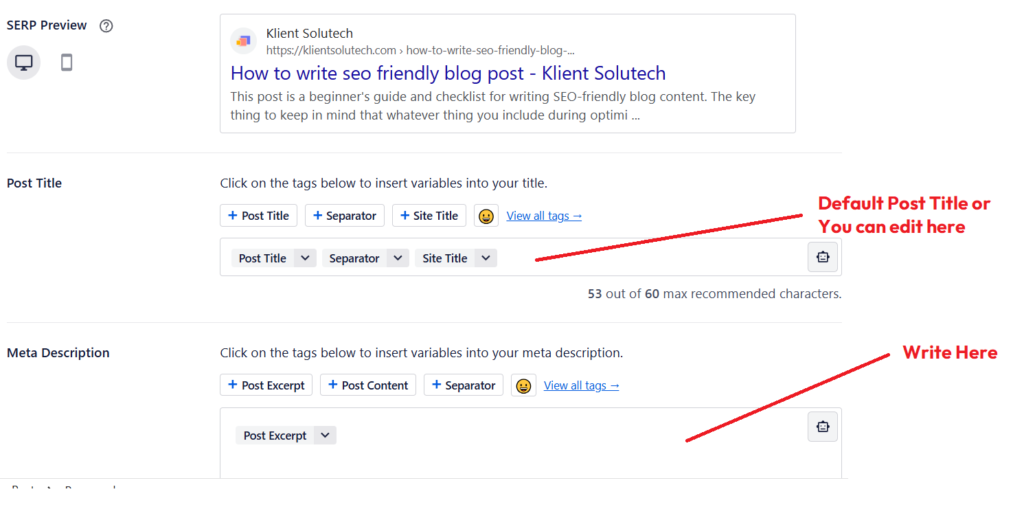
If you don’t set a meta title or meta description manually, search engines will automatically generate them based on the content of the title tag or the page/post content. So the best practice is to use SEO plugins if you’re using WordPress and optimize your title and description effectively.
9. Add 2 to 3 Outbound links
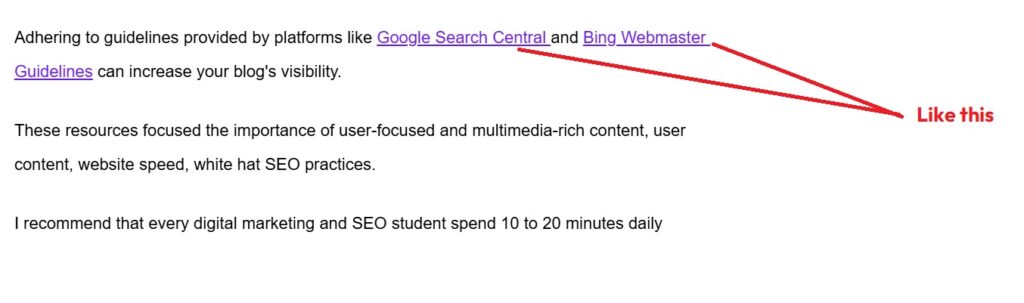
Outbound links are external links in your blog post that lead users to another website. These links help users find sources, references, and additional information related to the current post or content discussed in the previous paragraphs.
Outbound links are created using anchor text, which is the clickable text in a post used to link to another source. Anchor text should be relevant and descriptive to give users and search engines context about the linked page.
In WordPress, external links are “dofollow” by default. Dofollow links act as natural backlinks to the target website, which can positively impact SEO and rankings.
However, if you don’t want to pass link equity, you can set the link to “nofollow.” Additionally, you can configure external links to open in a new tab, ensuring that even if users click on the link, your blog post remains open in their browser.
Outbound links within a blog post improve SEO by connecting your content with authoritative sources, which increases credibility and trust by enhancing the credibility of your content when linking to authoritative and relevant sources, signalling trustworthiness to search engines. Additionally, they improve user experience, which can indirectly boost rankings through higher engagement metrics.
Optimized images can also appear in Google Image Search, helping your blog attract additional organic traffic.
10. Use and Optimize Images with Alt Text
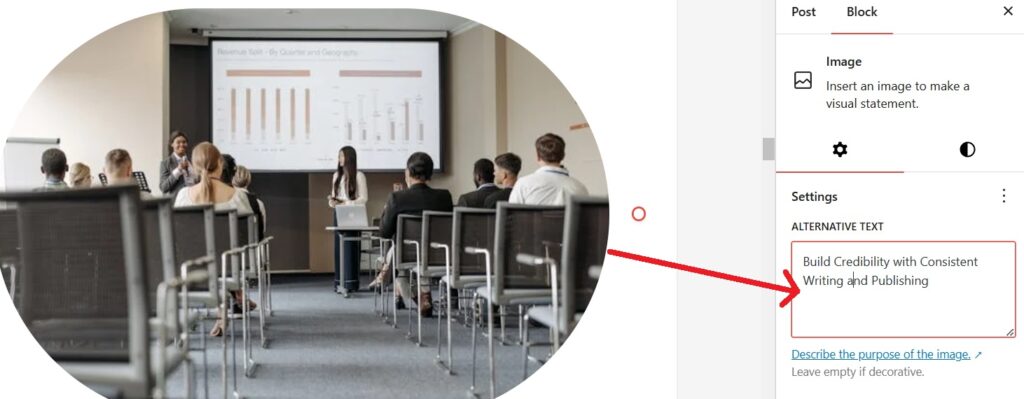
Use images in your posts and optimize them effectively by adding alternative text. Images help illustrate the visual scenario of your points, making your content more engaging and easier to understand.
For example, if you’re sharing a story about mountains, including a relevant image of mountains enhances the post’s visibility and appeal. You can include multiple images in a post as needed, such as infographics, data charts, or screenshots, to better convey context, data, or visualization.
To optimize images, use image optimizer plugins to adjust their size, quality, and format. Always write descriptive alternative text with relevant keywords to explain the image’s purpose, improving accessibility and SEO.
For lighter and faster-loading images, consider the .webp format, which is currently one of the best options. Some plugins can automatically convert uploaded images into .webp format for you.
11. Improve Readability and Accessibility with Shorter Sentences and Paragraphs

Increase readability by using shorter sentences and paragraphs.A good practice is to keep paragraphs short (3–5 sentences) to improve readability, especially for mobile users.This approach helps users find information quickly and easily.
Additionally, ensure that the first few paragraphs are simple and easy to read, especially on mobile devices, to engage users right away.
After publishing a post, test its loading speed on both mobile and desktop using Google PageSpeed Insights to ensure optimal performance.
Conducting a post audit helps optimize your post’s loading speed, accessibility, link structure, and more. You can also find a detailed analysis in the Yoast SEO post analysis section to identify readability and language related areas for improvement.
12. Use Structured Headings (H1, H2, H3)
Headings help organize your blog post and make it easier for both readers and search engines to understand the structure of your content.
Use one H1 tag for the main title of the blog post and divide the rest of the content using H2 and H3 headings.
A clear heading structure improves readability, helps search engines understand the hierarchy of information, and increases the chances of appearing in featured snippets.
Frequently Asked Questions (FAQs)
1. What is an SEO-friendly blog post?
An SEO-friendly blog post is content optimized for search engines and readers. It uses relevant keywords, clear headings, internal links, optimized images, and useful information that matches user search intent.
2. Why is writing an SEO-friendly blog post important?
SEO-friendly blog posts help your website rank higher in search engines, attract organic traffic, improve user engagement, and increase the chances of getting more clicks and readers.
3. How do I choose keywords for a blog post?
Start by researching keywords using tools like Google Keyword Planner, Ubersuggest, or Ahrefs. Choose keywords that have good search volume, low competition, and match the intent of your target audience.
4. Where should I place the focus keyword in a blog post?
Your focus keyword should appear in the title, URL, introduction, headings (H2 or H3), meta description, image alt text, and naturally throughout the content.
5. How long should an SEO-friendly blog post be?
An SEO-friendly blog post should typically be 800 to 2000 words, depending on the topic. Longer posts often perform better because they provide detailed information and cover the topic more comprehensively.
6. What is search intent in SEO writing?
Search intent refers to the reason behind a user’s search query. Your blog post should provide the exact information users are looking for, such as tutorials, guides, comparisons, or answers to specific questions.
7. Do images help improve blog SEO?
Yes, images improve blog SEO by making content more engaging and easier to understand. Optimizing images with descriptive alt text and compressed file sizes also helps improve accessibility and page speed.
8. Why are internal links important in blog posts?
Internal links help users navigate your website, discover related content, and stay longer on your site. They also help search engines understand your website structure and improve SEO.
9. What is a meta title and meta description?
A meta title is the clickable headline that appears in search engine results, while the meta description is a short summary of the page. Both help search engines and users understand what the blog post is about.
10. How often should I update old blog posts for SEO?
Updating old blog posts every 6–12 months helps keep the content fresh, improve rankings, add new information, and maintain relevance with current SEO trends.