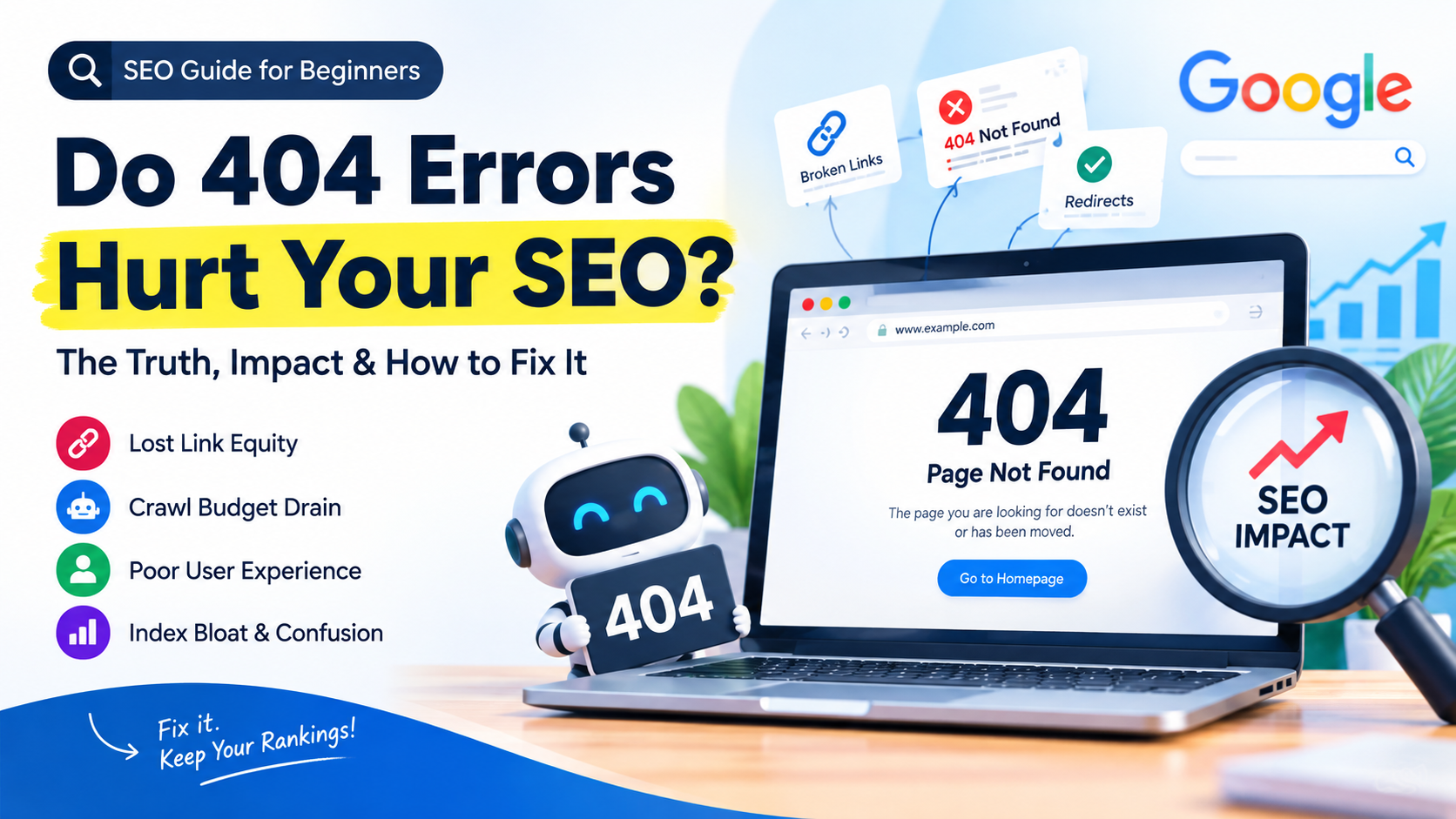
A 404 error is an HTTP and HTTPS status code a server returns when a requested page cannot be found. The URL exists in a search engine’s index, but nothing lives at that address anymore, or it never existed at all.
This happens for a handful of predictable reasons: a page got deleted without a redirect, a URL structure changed during a website migration, a product went out of stock and was removed, or someone simply mistyped a link.
For students learning SEO, the important distinction to internalize early is this: a 404 is not inherently a penalty. It is a status code. What matters for SEO is how many 404s exist, where they are linked from, and how the site handles them.
Do 404 Errors Directly Hurt Rankings?
This is the question almost every student and client asks first, and the honest answer is nuanced. Google’s own Search Advocate, John Mueller, has repeated for years that a reasonable number of 404 errors is completely normal on any website and does not directly harm rankings. Websites change. Content gets retired. Google expects this.
But “doesn’t directly hurt rankings” is not the same as “has zero SEO consequence.” The impact of 404 errors on SEO is mostly indirect it shows up through crawl inefficiency, lost link equity, poor user signals, and diminished trust in a site’s technical health.
A single 404 on an old blog post is a non-event. Thousands of 404s across a large site, especially ones still receiving internal links or backlinks, is a real technical SEO problem.
Did You Know? Google’s crawlers treat a spike in 404 errors as one of several signals that a site may be poorly maintained. It doesn’t tank a domain overnight, but it does shape how efficiently Googlebot allocates its attention to that site going forward.
How 404 Errors Can Impact Your SEO
Rather than treating “404s hurt SEO” as one blanket statement, it helps to break the impact into distinct, measurable channels:
- Lost link equity: If an external site links to a page that now 404s, the authority that backlink was passing is wasted unless a redirect is in place.
- Broken internal linking paths: Internal links pointing to 404 pages waste crawl paths and dilute the logical structure of a site’s architecture.
- Crawl budget drain: Every 404 URL Googlebot requests is a request not spent discovering or re-crawling live, valuable pages. Due to that google bot stop on that front .. and then showcase the error in google search console.
- User experience and bounce behavior: A visitor who lands on a dead page and leaves immediately sends weak engagement signals for that landing query. It’s also because user is not expecting to land on page that doesn’t existed.
- Index bloat and confusion: Soft 404s in particular can confuse Google about which URLs are genuinely valuable versus dead weight.
Each of these is fixable, and each has a different fix, which is why treating “404 errors” as a single undifferentiated problem is a common beginner mistake.
Hard 404s vs Soft 404s
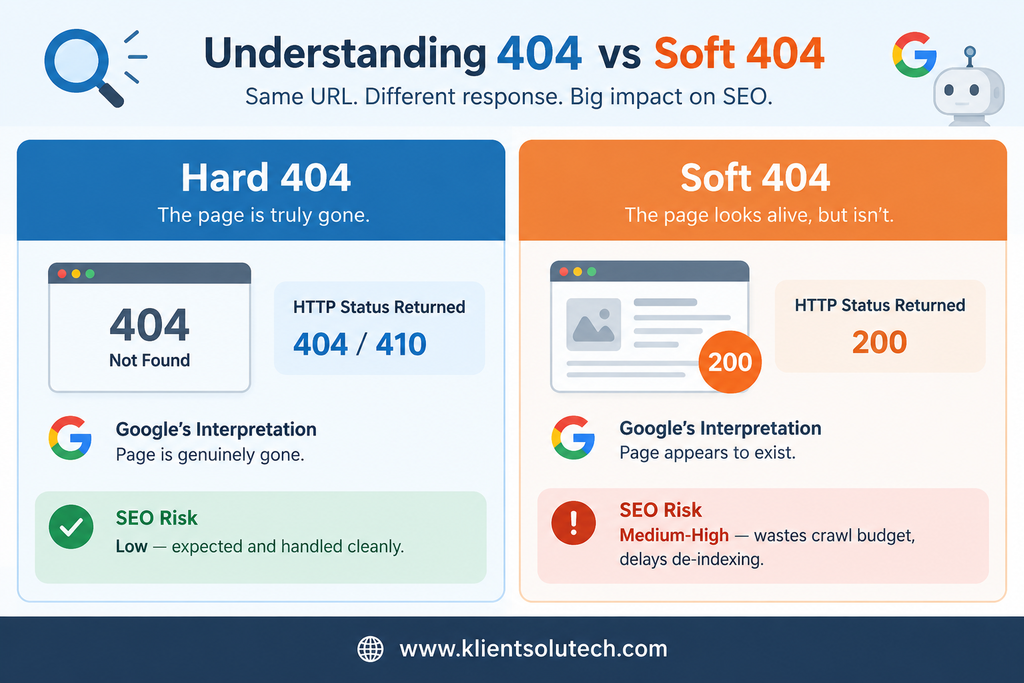
This distinction trips up almost every SEO student early on, so it’s worth slowing down here.
Hard 404: The server correctly returns an actual 404 Not Found (or 410 Gone) HTTP status code. Search engines understand unambiguously that the page is gone and will eventually drop it from the index. This is the correct, expected behavior for a genuinely removed page.
Soft 404: The page displays “not found” style content to a human visitor “Sorry, this page doesn’t exist” but the server returns a 200 OK status code instead of a 404. Search engines interpret this literally: as far as Googlebot is concerned, the server just said this page exists and loaded successfully. Google now has to guess, using content signals, that the page is actually empty or broken, which wastes crawl resources and can leave dead pages lingering in the index far longer than they should.
Soft 404s are, in practice, more damaging than hard 404s because they create ambiguity. A clean hard 404 is honest. A soft 404 sends mixed signals that Google has to spend extra effort resolving.
Here is complete guide on How HTTP status codes affect Google’s crawlers
How 404 Errors Affect Crawl Budget
Crawl budget is the number of URLs Googlebot is willing and able to crawl on a given site within a given timeframe. For small sites, this is rarely a bottleneck. For large sites – e-commerce catalogs, multi-city service pages, news publishers crawl budget is a finite, competitive resource.
Every URL Googlebot requests that returns a 404, especially one still linked internally, is a crawl request that produced zero indexing value. On a site with tens of thousands of URLs, a large volume of internally-linked 404s can measurably shift crawl activity away from pages that are actually trying to rank. This is one of the more concrete, technically provable ways 404 errors damage SEO performance at scale, even though Google insists individual 404s don’t cause ranking penalties.
Pro Tip: In Google Search Console, the Crawl Stats report under Settings shows the breakdown of response codes Googlebot encountered. A rising trend line of 404 responses over time is a reliable early warning sign worth investigating before it compounds.
The impact of 404 error on user Experience
Search engines increasingly weigh user experience as part of how they evaluate page and site quality. A 404 page that a visitor lands on directly from a search result or an external link is, from the user’s perspective, a broken promise the click didn’t deliver what was expected.
The behavioral fallout matters: high bounce rate on that landing, no engagement, and a visitor who may associate the brand with an unreliable website. None of this is a direct “ranking factor” in the classic sense, but aggregated user dissatisfaction signals are exactly the kind of pattern search engines’ quality systems are built to notice over time.
Here you can read my another post on this topic written few years ago: Google Search Console 404 Errors: An SEO Warning
How to Find 404 Errors on a Website
Before fixing anything, a proper audit identifies where the errors actually live. The standard toolkit:
- Google Search Console → Pages report → “Not found (404)” under the Page Indexing section. This shows what Google itself has encountered.
- Screaming Frog SEO Spider (or a similar crawler) → crawl the site and filter by response code to catch 404s Google hasn’t discovered yet, including ones only linked internally.
- Server log file analysis → shows exactly which URLs bots and users are requesting that return 404s, including ones with no internal or external links at all.
- Ahrefs / SEMrush Site Audit → surfaces 404s that still hold backlink equity, which is critical for prioritization.
Expert Insight: In practical audits, the most valuable 404 list isn’t the raw one from a crawler it’s that list cross-referenced against pages with existing backlinks. A 404 with zero inbound links is low priority. A 404 that fifteen external domains still link to is a redirect that should happen today.
How to Fix 404 Errors: A Practical Framework
Not every 404 deserves the same fix. Working through them systematically:
Step 1 — Categorize each 404 URL:
- Does it have backlinks pointing to it?
- Is it still linked internally anywhere on the site?
- Does an equivalent, relevant replacement page exist?
Step 2 — Apply the right fix:
- Has a relevant replacement page → 301 redirect to that page.
- Has backlinks but no direct replacement → 301 redirect to the closest relevant category or parent page, not the homepage by default.
- No backlinks, no internal links, genuinely obsolete → Leave it as a clean 404 or return 410 (Gone) for a stronger removal signal.
- Internally linked but should not exist → Fix or remove the internal link itself, not just the destination.
Step 3 — Never mass-redirect everything to the homepage. This is one of the single most common technical SEO mistakes: redirecting dozens of unrelated dead URLs to the homepage. It sends a confusing relevance signal to Google and gives users a poor experience, since they rarely land where they expected.
Designing a 404 Page That Retains Users
Since some volume of 404s is unavoidable on any active website, the custom 404 page itself becomes an SEO and UX asset worth designing properly:
- Keep the site’s main navigation and search bar visible and functional
- Suggest 3–5 relevant, popular, or recently viewed pages
- Use clear, human language rather than a bare technical error message
- Include an internal site search box
- Track 404 page visits in analytics to catch patterns worth fixing at the source
Example of well designed 404 page by wpbeginner
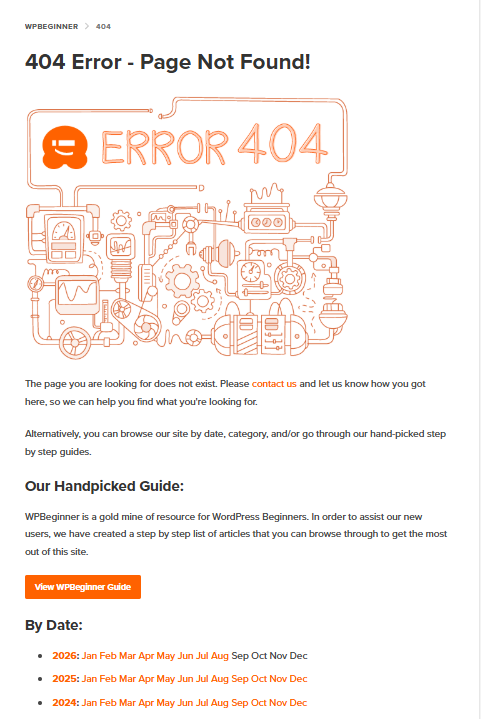
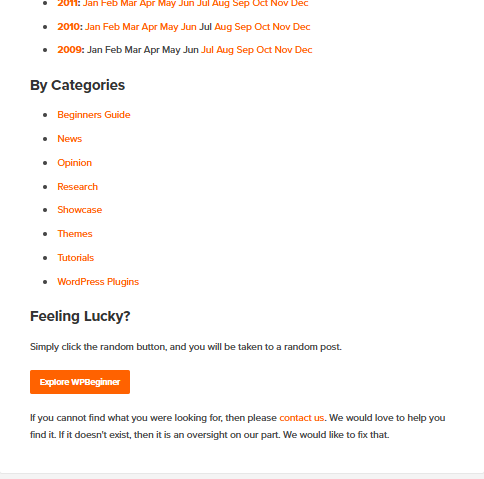
A well-designed 404 page won’t recover the SEO value of a lost backlink, but it does reduce user drop-off, which matters for engagement metrics.
Common Mistakes Beginners Make
- Treating every 404 as urgent. Prioritize by backlink value and internal linkage, not by raw count.
Not every 404 needs to be fixed. Prioritize 404s based on SEO value, backlinks, and internal links not the number of errors.
- Feed URL:
how-ai-in-search-engines-can-limit-freedom-and-creativity/feed/→ 🟢 Low priority — technical/RSS URL. - Article URL:
why-is-it-important-to-learn-how-to-code/→ 🔴 Higher priority — check backlinks, internal links, and traffic.
Simple rule: Fix or redirect valuable content 404s; harmless technical 404s can usually be left alone.
- Redirecting everything to the homepage. This dilutes relevance and confuses both users and search engines.
- Ignoring soft 404s because “the page loads fine.” A 200 status on a functionally empty page is often worse than an honest 404.
- Fixing the destination but not the internal link. If a page still links to a dead URL after the redirect is set up, that’s an unresolved crawl inefficiency, not a fix.
- Never auditing again after the first cleanup. 404s reappear continuously as content changes; this needs to be a recurring technical SEO task, not a one-time project.
People also Ask Questions Regarding 404
Does a single 404 error hurt my website’s SEO?
No. A single 404 on an old or intentionally removed page is normal and does not directly harm rankings. Google expects some 404s on every active website.
How many 404 errors are “too many”?
There’s no fixed number, what matters is the trend and the linkage. A large or rapidly growing count of internally linked or backlinked 404s is the real warning sign, not the raw total.
What’s the difference between a 404 and a 410 status code?
A 404 means “not found” and leaves room for the page to reappear later. A 410 means “gone” permanently, which can prompt faster removal from the search index.
Should I redirect all my 404 pages?
No. Only redirect 404s that have backlink value, internal links, or a genuinely relevant replacement page. Redirecting irrelevant pages to the homepage or unrelated content is a common mistake.
Do 404 errors affect crawl budget?
Yes, indirectly. Every 404 URL Googlebot crawls is a request spent on a page with no indexing value, which matters most for larger websites with crawl budget constraints.
Can 404 errors cause a page to drop out of Google’s index?
Yes, that’s the expected outcome for a page that’s genuinely gone. The concern is only when this happens to pages that shouldn’t have been removed, or when soft 404s delay this process and leave dead content indexed longer than it should be.
Is a soft 404 worse than a hard 404 for SEO?
In practice, often yes, because it creates ambiguity. A hard 404 is a clear, honest signal; a soft 404 forces Google to guess using content signals, which wastes crawl resources.
How do I check for 404 errors in Google Search Console?
Go to the Pages report under Page Indexing and look for the “Not found (404)” category, which lists URLs Google has crawled and found missing. You can also use screming frog desktop application to crawl your website and find 404 pages + other issues as well.